
I built an app this week! I honestly never thought I would ever write that sentence. Spacefast officially launched on Monday, so I wanted to share how I have used it. Anyone can make something useful with it, whether or not you know how to code.
I have worked in tech for most of my career, and I created my very first website with code back in 1997. It had moving images and a horrible layout, and it was quite wild to the eye. I create much better websites now thanks to WordPress and I can do a bit of CSS, but I am certainly not a developer and I have never actually built an app myself.
Our family has needed a task manager for a while now. Between Sandy, the kids and me, there is always something that needs doing, and it lives in a group chat, on a sticky note or in someone’s head. I wanted one list where we can see what needs to be done and when. I wanted anyone in the family to be able to add a task for anyone else. And I wanted reminders and a way to put things on our calendars. When Spacefast launched, it felt like the perfect thing to try, and something I might be able to rework for my work as well.
I signed up for a Spacefast account, connected it to my Claude desktop app and just started a conversation with Claude about what I wanted. Claude asked me a few questions, like who should be able to see it and what each task should include, and then it built the app and put it online for me.
We had a few back and forths. Once I tried the first version, I asked if a task could go to two people at once, since a lot of ours are shared. Then I asked for some color, because the first version was all grey. I also asked about was reminders. Claude added a morning email that lists what’s due for each of us, plus an “Add to calendar” button on every task.
The whole thing took about an hour, and I was working on other things while Claude did the building. That part really impressed me.
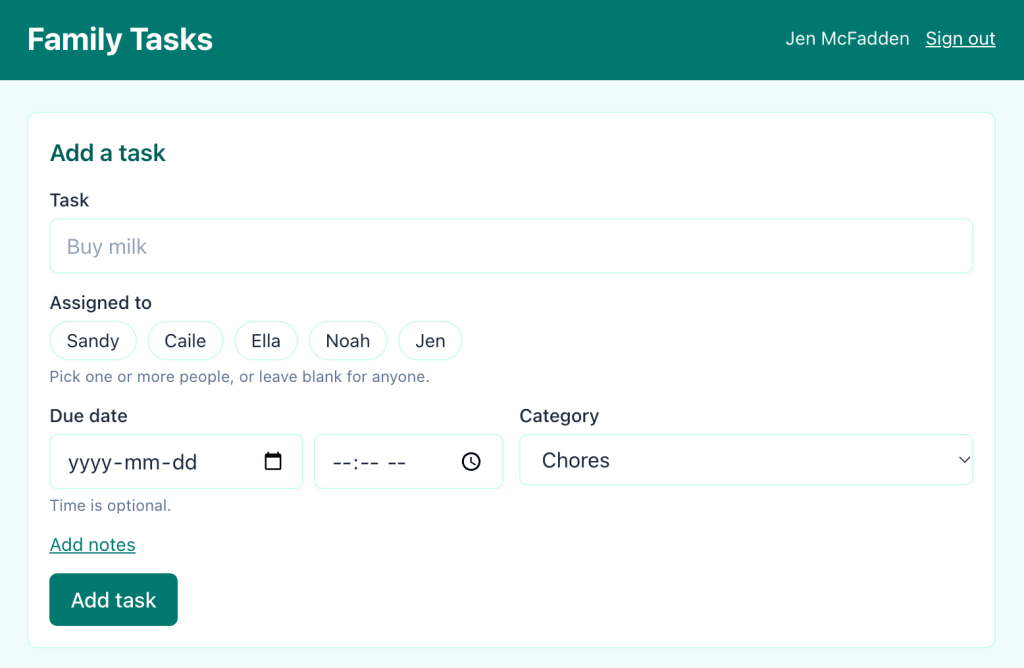
Here’s what it does so far. Any of us can add a task and assign it to one or more people. Each task gets a due date, an optional time, a category and notes. We can look at everything, just our own tasks, or what’s due soon. When someone checks something off, everyone sees it right away, and it shows who added it and who finished it. Every morning, we each get an email with our tasks for the next few days. If something has a set time, like booking winter tires, I can add it to my phone’s calendar with a reminder.
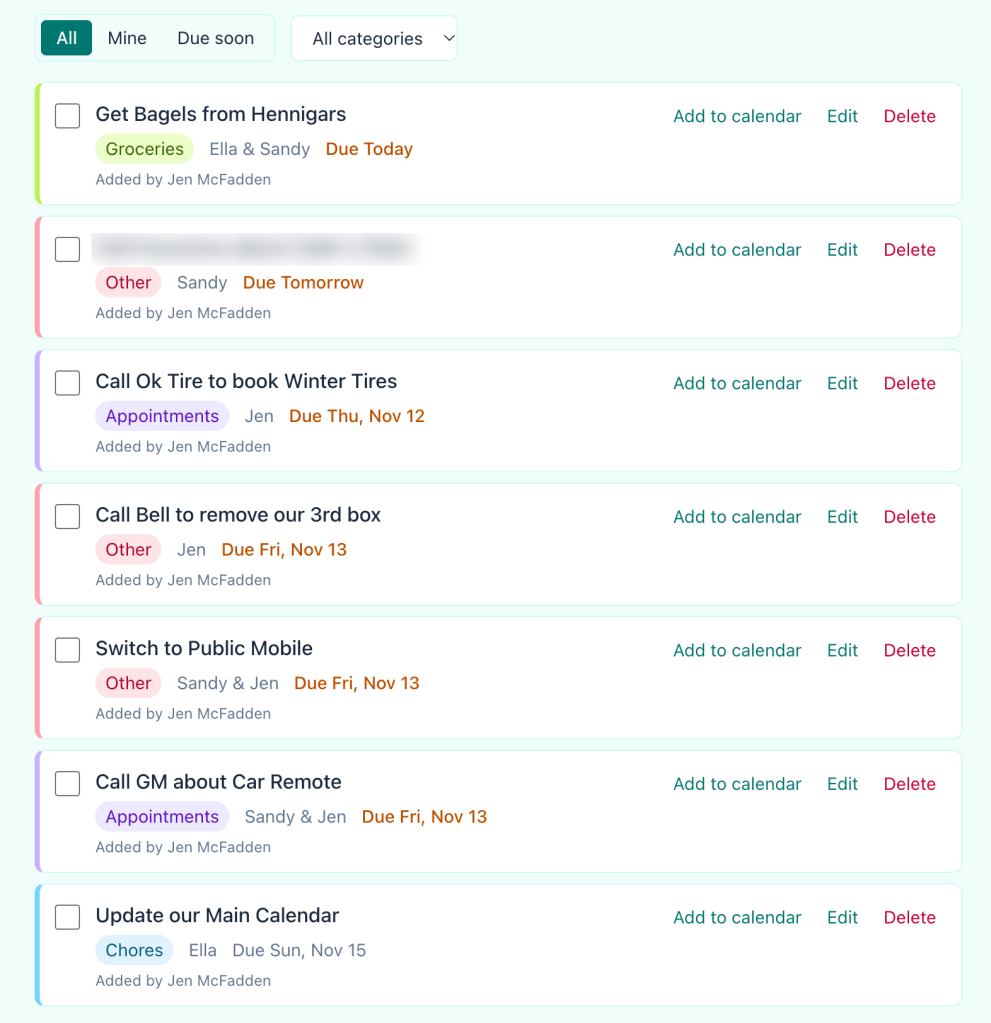
Our list is private, so only the people I invite can open it. That’s why I’m sharing screenshots instead of a link, but they give you a pretty good idea of how it looks and works.
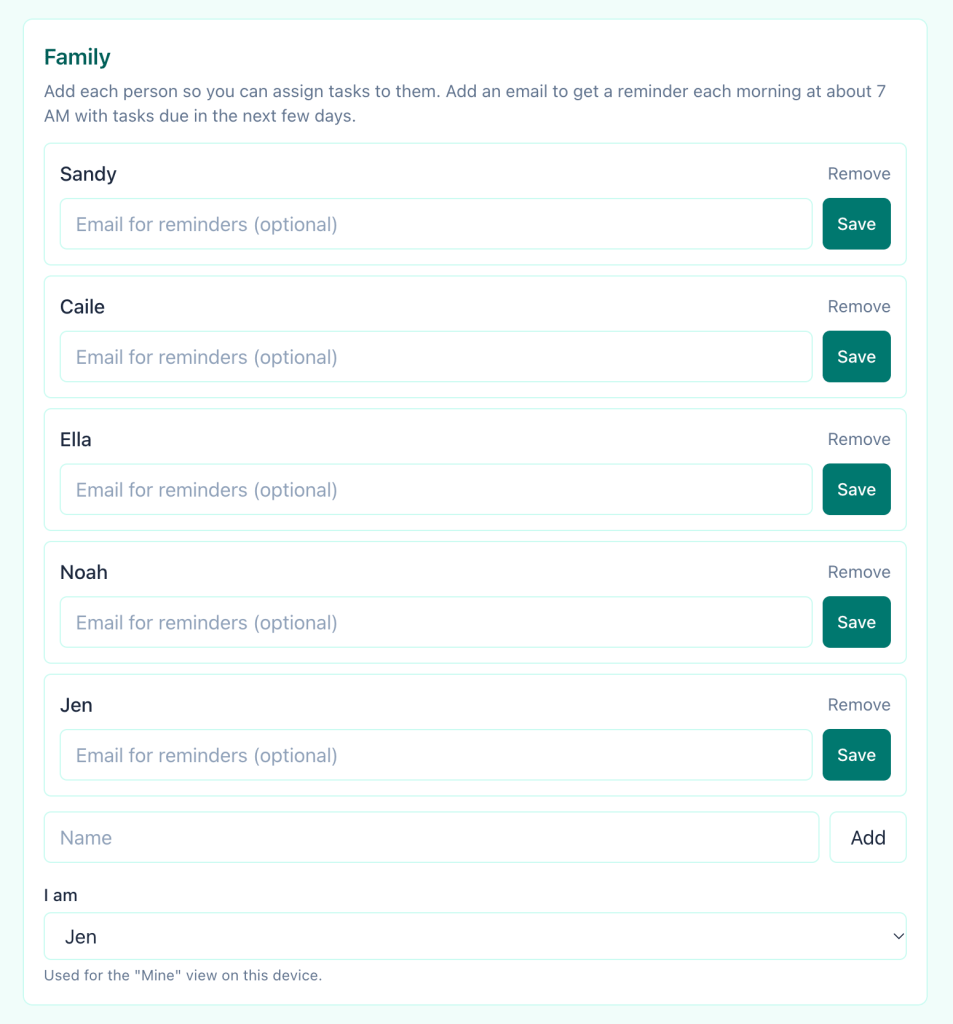
I knew what I wanted this tool to do, I just couldn’t build it myself. The fact that I can describe it in plain words and get a working app back the same day, one my family is already using is amazing. It isn’t finished, and I like that it is a work in progress. When we want something new, I can just ask, and it’s another conversation.
If you have an idea for something that would make your home or work life a little easier, I really encourage you to try it. You don’t need to know how to code. You need an idea and a few minutes to explain it.
Here’s how to get started:
- Sign up for free at spacefast.com.
- Connect it to the AI assistant you already use. I used Claude, and this guide walks you through it in a few steps.
- Tell it what you want to make, and it’ll give you a link to share when it’s ready.
I would love to see what you build, so share it with me in the comments!


Leave a Reply